
Managing Listings Across Your Brokerage
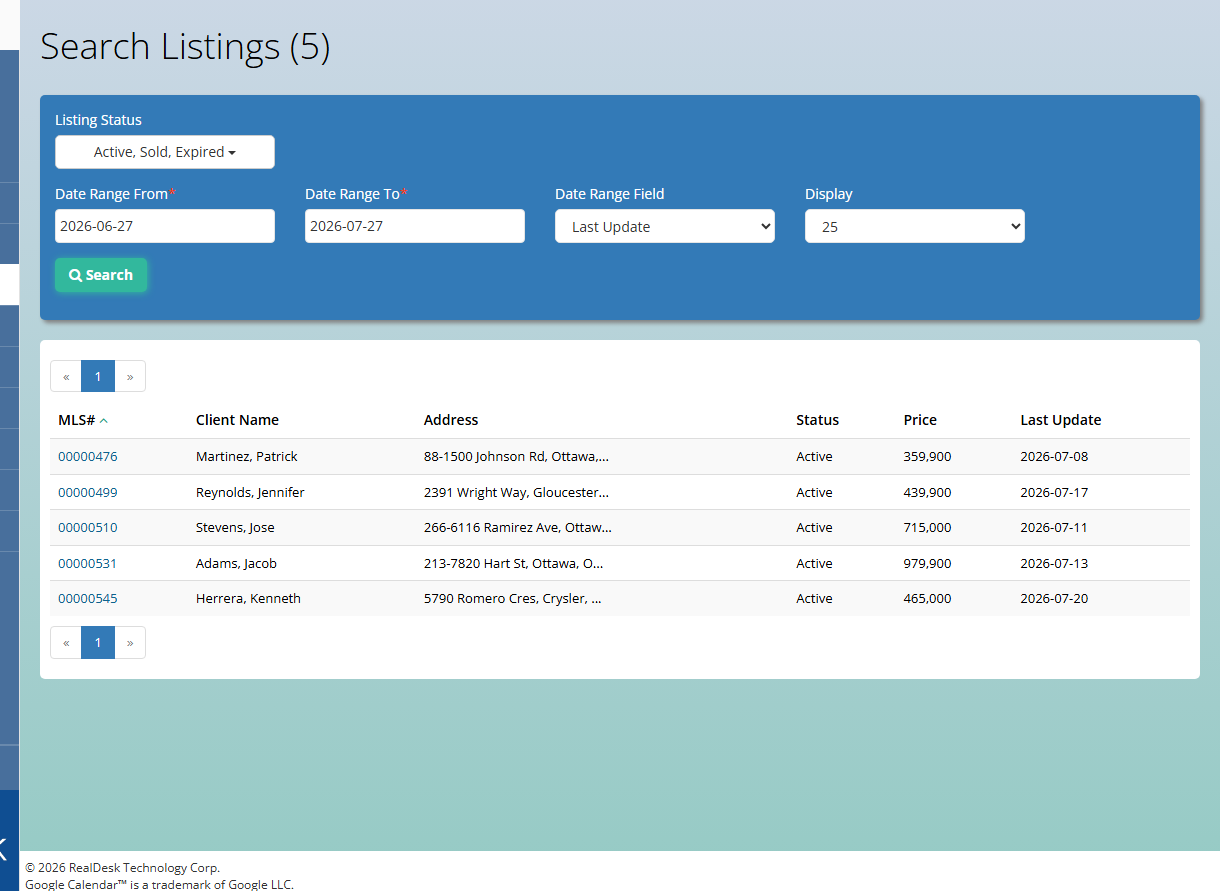
Listings represent properties your brokerage is marketing. Office administrators use the brokerage Listings area to monitor inventory, support agents, and understand which listings are progressing toward accepted offers and deals.
Key capabilities
- Brokerage listing inventory — View active and historical listing records across agents and offices.
- Listing-to-deal continuity — Listings connect cleanly to deals when an offer is accepted, preserving property and party context.
- Agent collaboration — Office staff can see listing details agents maintain, which helps answer client and compliance questions.
- Search and status tracking — Locate listings by address, agent, MLS identifiers, or status when coordinating marketing and showings.
- Operational visibility — Leadership can gauge listing volume alongside deals and referrals from the broader brokerage workspace.
How agents and office staff work together
Agents create and maintain listing records for properties they represent. Office administrators monitor brokerage-wide listing activity, assist with questions, and support the transition from marketed listing to active deal when an offer is accepted.
Typical lifecycle
- An agent adds a listing with property, marketing, and party details.
- The listing remains the source of truth while the property is on the market.
- When an offer is accepted, the workflow continues into a deal record without losing listing context.
Learn how RealDesk supports listing and deal workflows. Book an intro meeting.