
Brokerage Dashboard Overview
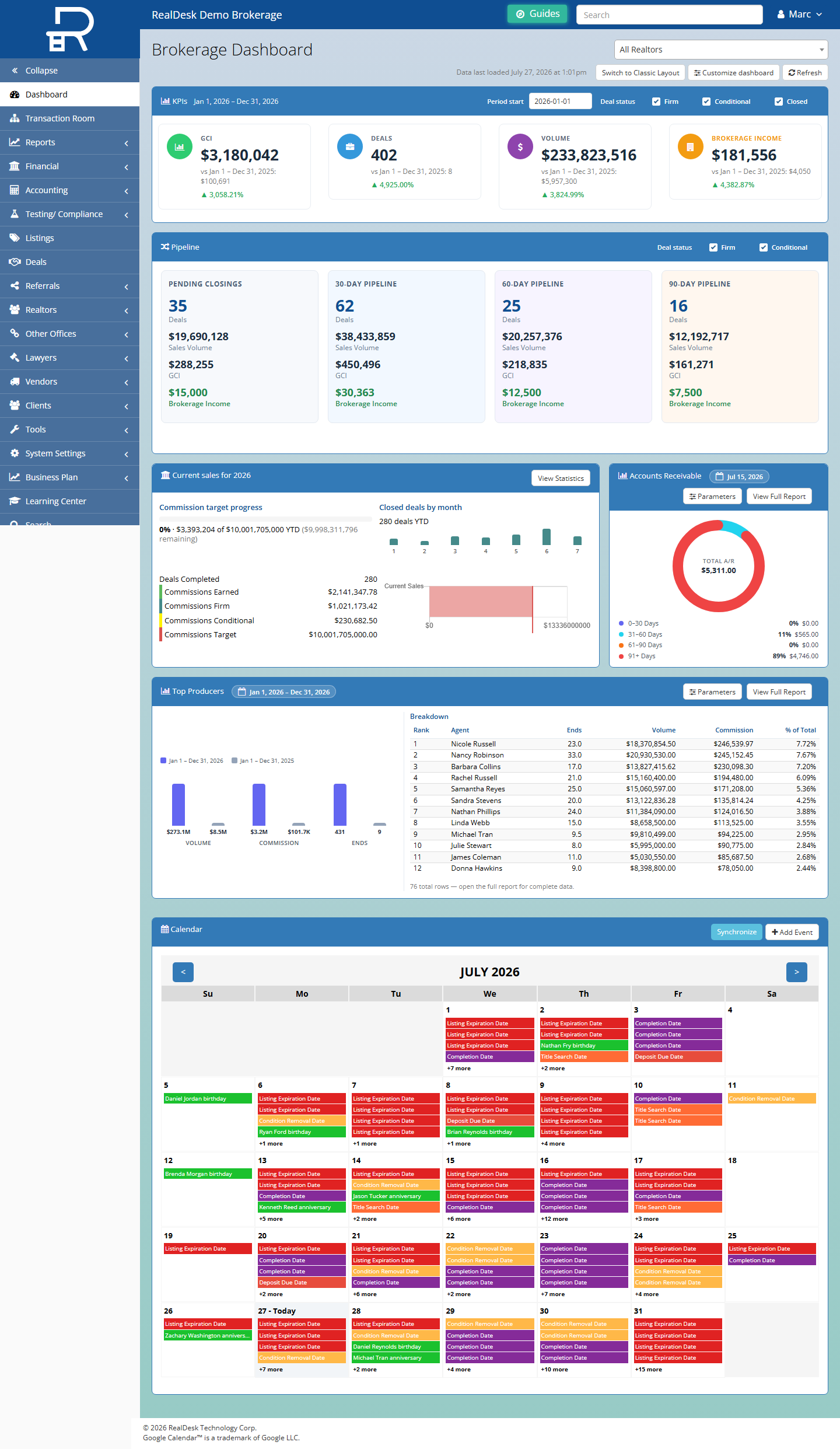
RealDesk gives brokerage leadership and office administrators a single place to monitor brokerage activity, spot items that need attention, and move into deals, listings, referrals, and office review without hunting through disconnected tools.
Key capabilities
- Brokerage-wide visibility — See active deals, listings, referrals, and office workload indicators in one workspace tailored for staff.
- Customizable layout — Arrange dashboard widgets to match how your office tracks pipeline, production, and follow-ups.
- Fast record lookup — Search across brokerage records to answer questions from agents, lawyers, or leadership quickly.
- Clear navigation — Open Deals, Listings, Referrals, Transaction Room, and reporting areas from a consistent workspace.
- Role-appropriate views — Office staff see brokerage scope; agents work from their own dashboards while submitting into the same underlying records.
How agents and office staff work together
Agents enter and update deal, listing, and referral information from their workspace. The brokerage dashboard surfaces the resulting activity so office administrators can monitor volume, identify bottlenecks, and open the right record when an agent or client needs a response.
Typical workflow
- Leadership or office staff review dashboard indicators for the brokerage.
- They open Deals, Listings, or Transaction Room when something needs review or follow-up.
- Agents continue updating records from their side; the dashboard reflects current brokerage status.
Ready to explore RealDesk in your brokerage? Book an intro meeting.